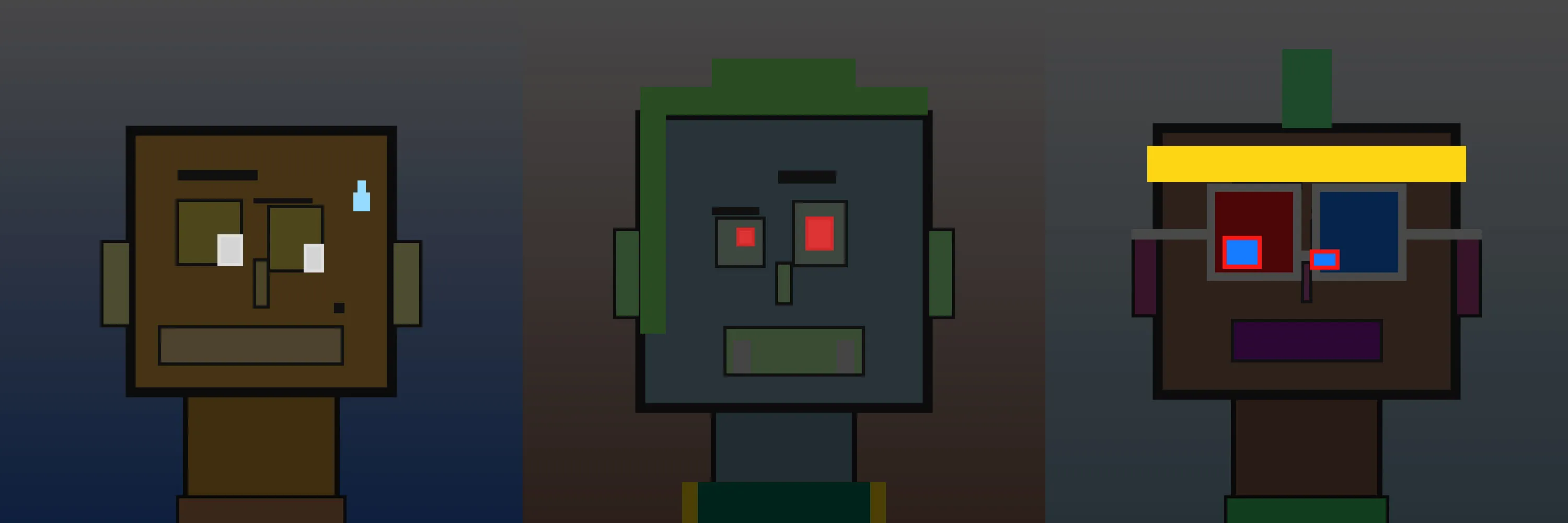
State 1 · Renderer notes
DarkBLONKS
Shedding Some Light on DarkBLONKS
I got to know Interval, the founder of the NFT project Obits, and over lunch one time we discussed alternate renderings for our NFTs. He had shared some manually created art of ‘darkmode’ Obits, where their eyes were brightened/colorized and the background was darkened, and he wanted to know if the Obits contract had any flexibility in rendering. It didn’t, but mine did, and really liked the idea of having a simple alternate renderer that did something like the dark-mode he was doing.
In DarkBLONKS, eyes are lightened or color shifted based on their glasses or eye-traits, and accessories I gave them (bling) was also lightened or highlighted. Like shiny jewelry or high-vis/reflective headbands, etc. In thinking about how to do this, I realized that I *could just redraw everything but with different colors, orrrr I could import the existing SVG, throw down a semi-opaque layer to darken it, and only draw the brighter elements. I found that idea intrigueing and different, so I went in that direction.
The resulting art is much less… deathly? evil? scary? than what Interval was doing with dark mode obits (which are all skeleton-heads), but just like, BLONKS but after dark… with some glowing eyes, etc. So that’s what it is, BLONKS after dark - DarkBLONKS.